EVA Vet Select II
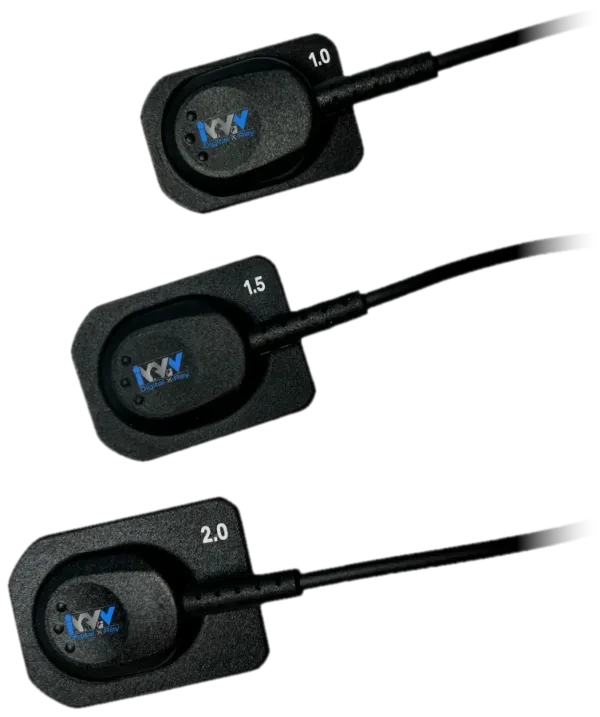
Sizes 1.0, 1.5 and 2.0. 25 lp/mm theoretical resolution. Made in the USA.
ViewAll acquires, views and shares veterinary dental images in one tabbed application that meets the DICOM 3.0 standard. It ships standard with every EVA Vet sensor and runs every IWV digital device, so your team learns one program.
Quotes come from an IWV equipment consultant, with trade-in options where they apply.
ViewAll replaces ProImage with a large jump in image quality, and it is built for how veterinary practices actually work: a tabbed interface for patients, acquisition, study view and diagnosis, a STAT mode when there is no time to build a record, and a practice management mode.
DICOM send and receive connects ViewAll to teleradiology and PACS, which makes referrals, teaching and multi-practice groups simple. It is fully networkable and scales from one workstation to a whole hospital, across multiple monitors.
If you already own an EVA Vet sensor, ViewAll is the upgrade. If you run ProImage on Windows XP, it is the replacement: ProImage is incompatible with Windows 8 or newer, and a migration guide moves your existing database across.
“I recently upgraded our digital dental radiography software from ProImage to ViewAll 3.2 at our feline specialty practice. I was impressed by how much our image quality improved. The ViewAll 3.2 software is also more user friendly than ProImage.”
From IWV’s published product information. Ask your consultant for the current specification sheet before you order.
| Standard | Veterinary DICOM 3.0 |
|---|---|
| Networking | DICOM send and receive for PACS and teleradiology |
| Modes | STAT patient mode, practice management mode |
| Processing | "Soft Tissue" MetaTreatment for automatic tissue enhancement |
| Observation series | Capture and link a series of images over a 32-hour window |
| Image history | View or modify changes made to an image |
| Displays | Acquire and view on multiple monitors |
| Templates | Additional study templates |
| Scale | Fully networkable, any size clinic or hospital |
Creating, finding and managing patient records in ViewAll.
Capturing images from your sensor or detector into the open study.
Reviewing every image in a study and moving between them.
Tools for reading, measuring and annotating radiographs.
The shortcuts available from the right-click menu on an image.
Setting up devices, storage and preferences in ViewAll.
Yes. ViewAll ships standard with every EVA Vet unit, licensed for up to 7 workstations. It is also available as an independent software platform.
Yes. ViewAll meets the veterinary DICOM 3.0 standard and supports DICOM send and receive for teleradiology and PACS.
Upgrade to ViewAll. A 2014 Windows XP update broke compatibility with a large amount of older software including ProImage, and ProImage does not run on Windows 8 or newer. IWV offers ProImage owners a discounted upgrade and a database migration guide.
The ViewAll user manual, quick start guide and DICOM conformance statement are free to download from the manuals page, and the nine training videos walk through every tab.
Yes. ViewAll is the unified software for IWV digital equipment, so your staff trains on one application.
Sizes 1.0, 1.5 and 2.0. 25 lp/mm theoretical resolution. Made in the USA.
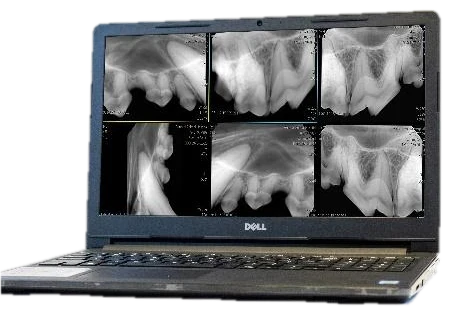
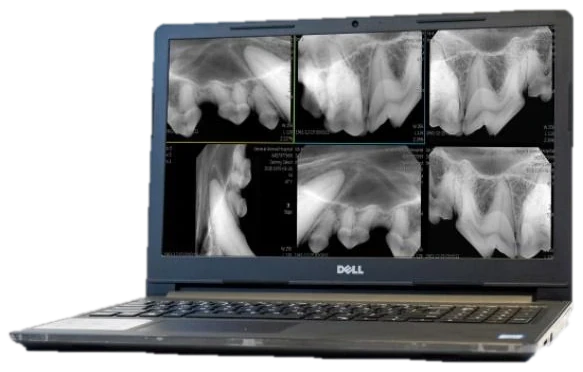
Dell 15.6 inch FHD laptop configured to run ViewAll and store your images.
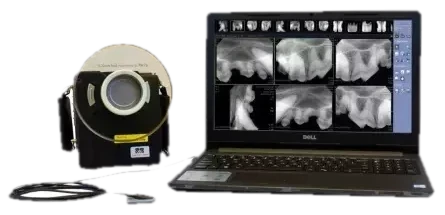
Handheld x-ray, sensor, software and laptop from one company. No walls, no wiring, no installer.
Tell us how your practice works. A consultant will match you with the right system, explain trade-in options and send a quote.
(303) 996-8489